Shell internal forces
The Shell internal forces analysis result shows internal forces in shell elements under the current loading or analysis conditions.
It allows you to evaluate membrane forces, bending moments and shear forces acting in plates and walls as a response to applied loads and dynamic effects.
Shell internal forces are available for several static and dynamic analysis contexts.
- Load cases – internal forces from individual load cases
- Moving load maximum – envelope of maximum internal forces due to moving loads
- Moving load influence line / surface – influence results for shell internal forces
- Construction stages – internal forces during staged construction
- Load combinations – internal forces from defined load combinations
- Maximum of load combinations – envelope of internal forces from multiple combinations
- Maximum of load groups – envelope of internal forces grouped by load groups
- Seismic analysis – internal force response from seismic loading
- Time history – ground acceleration – time-dependent internal forces from ground motion
- Time history – excitation force – time-dependent internal forces from applied forces
- Periodic excitation – steady-state dynamic internal force response
Result selection
Depending on the selected analysis context, additional selections are required to display Shell internal forces. One or more of the following parameters may need to be selected from the result lists:
- load case type, such as ultimate or quasi-permanent
- load case or load combination
- internal force component, for example membrane force, bending moment or shear force
- moving load, for moving load–based results
- construction stage
- simultaneous value, for selected maximum-type results
- seismic shape
- time step, for time history results
Only the selections relevant to the active analysis type are shown.
The Simultaneous selection is available for some maximum-type results, such as Maximum of load combinations.
First, select the internal force component for which the extreme value is evaluated, for example My'+. Then select a Simultaneous component, for example Nx'. The result will display the values for Nx' component that correspond to the load combination which generated max My'+.
This allows you to study the combined effect of internal forces occurring at the same critical positions.
You can see the result for the minimum/maximum internal component itself if you select the Simultaneous value to be the same as the internal force component.
For example, select the internal force component Nx'+ and then select a Simultaneous component Nx'. The result will display the result for maximum normal force component values in the shell.
Result display
Shell internal forces can be displayed using several result display types, depending on the selected result and analysis context:
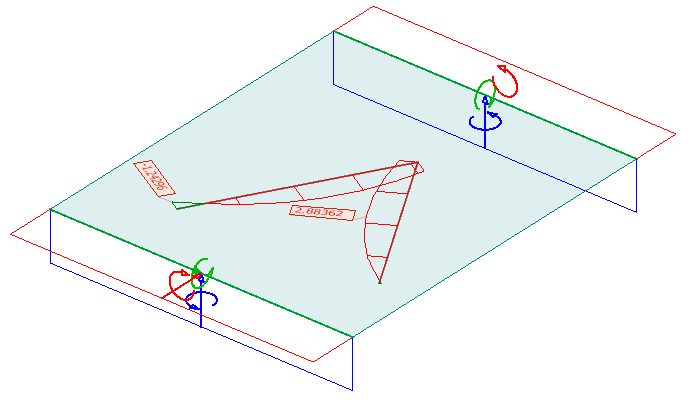
- Graph – internal forces shown as diagrams along shell sections
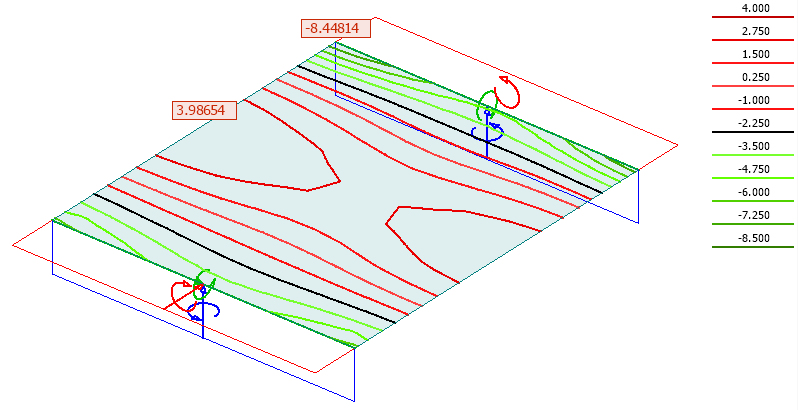
- Contour lines – internal forces displayed as isolines of equal value
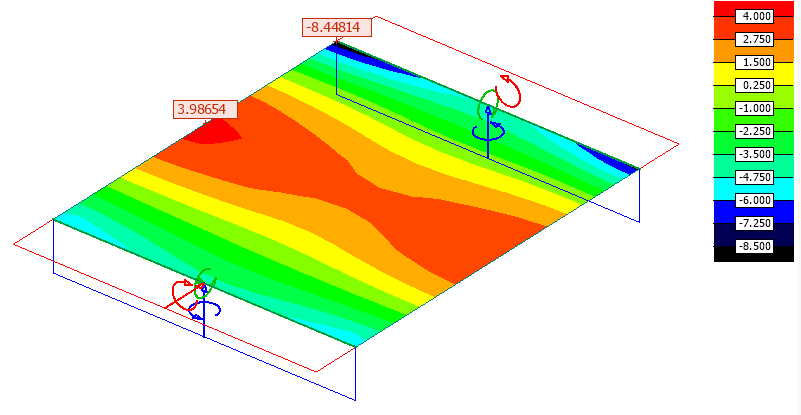
- Colour palette – internal forces visualised as coloured fields over shell surfaces
- Sections – internal forces evaluated and displayed along user-defined section lines
Some result types may allow only a subset of these visualisation methods.
Graph
Internal forces shown as graph on shells.
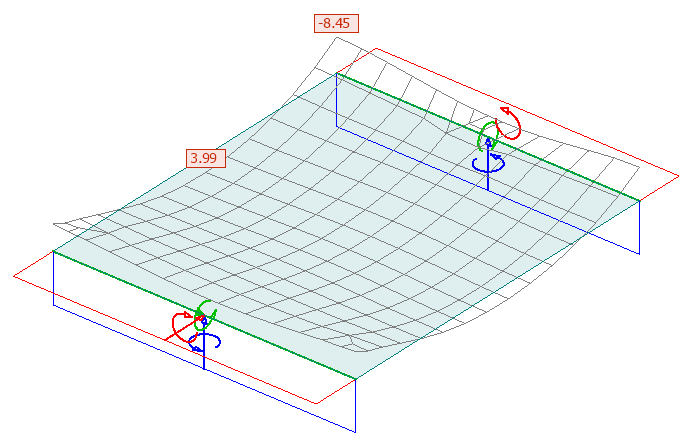
Contour lines
Internal forces shown as coloured contour lines.
Colour palette
Internal forces visualised as coloured fields.
Sections
Internal forces visualised as sections on shells.