Library shortcut from drop-down lists
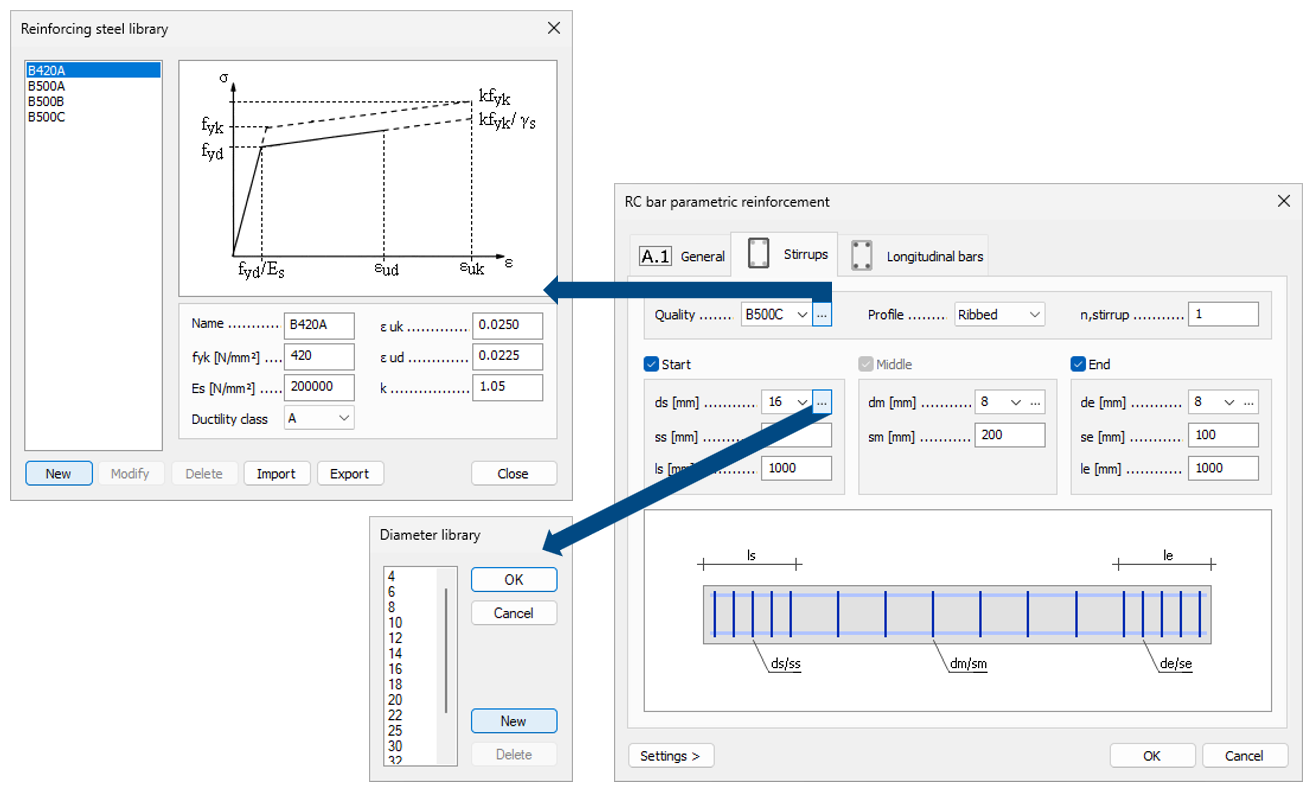
FEM-Design 25 improves access to libraries directly from property dialogs. For supported drop-down lists, a dedicated three-dot button […] (Open library) button is now placed next to the drop-down arrow.
Clicking the […] button opens the corresponding library, where new entries can be created and existing definitions can be edited or managed, including import, export and deletion. This provides immediate access to the relevant library while staying in the current dialog, eliminating the need to scroll to the end of the drop-down list to manage definitions.
This feature is available for several commonly used selections, such as bar end conditions, supports, reinforcement quality and diameter, and fire protection materials.