PREFAB
PREFAB is a stand-alone tool and FEM-Design extension for analyzing results with dynamic reports. It supports multiple materials but is primarily for precast concrete and CLT structures.
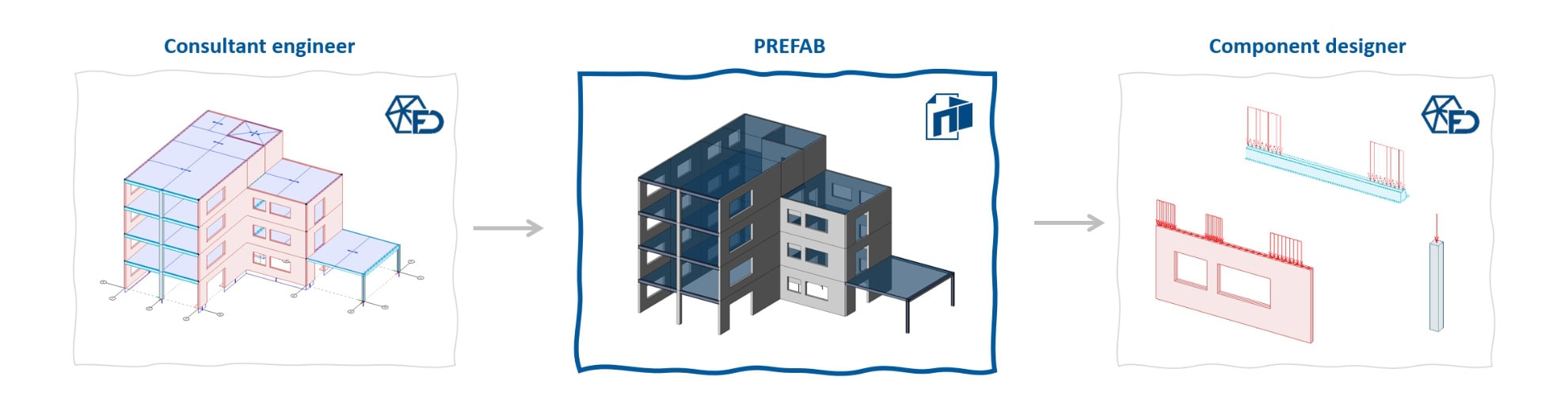
PREFAB reads your FEM-Design model directly, so there's no parallel modelling and no rekeying – the FEM-Design model stays the single source of truth. It enables transfer back to FEM-Design, dynamic PDF printing and Excel export – based on FEM-Design results or a new plastic redistribution. The dynamic PDF can hold extensive information, with toggleable layers, tooltips and per-component drill-down.
PREFAB supports the consultant engineer who builds and owns the FEM-Design model, and the component designer who receives the resulting documentation and designs from it – all from the same structured output, so nothing drifts between handoffs.
This documentation follows the latest version of PREFAB available. Please check that you have the newest version installed.
User manual
The PREFAB user manual is divided into multiple parts:
-
↘ Get started – install PREFAB and a compatible PDF viewer
-
↘ Import data – load results from FEM-Design into PREFAB
-
↘ Data handling – how results are treated: Direct, Elastic or Plastic based on FEM-Design, or a new plastic distribution
-
↘ Design checks – how PREFAB calculates its design checks for walls and trusses on import
-
↘ Export data – export to StruXML, Excel, locked files and merge PDFs
-
↘ Limitations and known issues – current limitations to be aware of
Modelling guide
The modelling guide explains how to set up your FEM-Design model to get the best results in PREFAB.
Examples
The examples chapter holds worked examples, tips and tricks and workflow examples for PREFAB.
New features
New features for PREFAB can be found on the ↘ new features page.
Support
Do you own PREFAB and want help? Contact ⧉ strusoft.freshdesk.com/en/support/home.
Do you want to know more about PREFAB, or test it out? Contact us via ⧉ strusoft.com.