Data handling
When the results are loaded into PREFAB, they are treated in one of three ways, split across two overall options:
-
Based on FEM-Design – keeps the resultants like FEM-Design, with a Direct, Elastic or Plastic variant
-
New plastic distribution – finds a new distribution for the model based on the design capacities
Based on FEM-Design
This option keeps the resultants as calculated by FEM-Design, with the connection forces treated in one of three ways:
Direct
Shows the FEM-Design result exactly as calculated, without any smoothing – best for direct model traceability and seeing the raw result shape and peak locations.
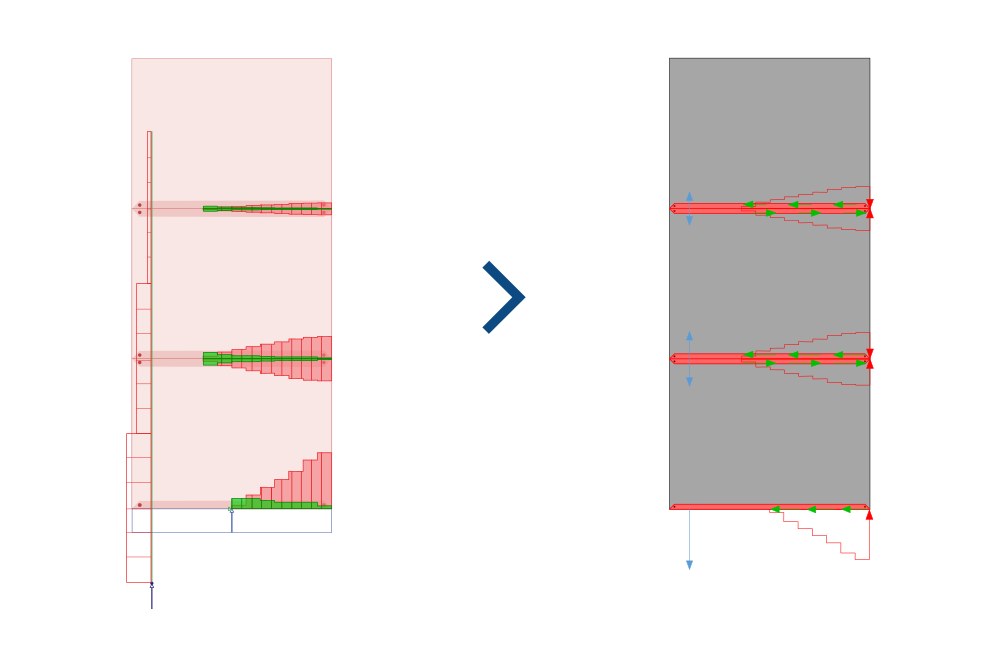
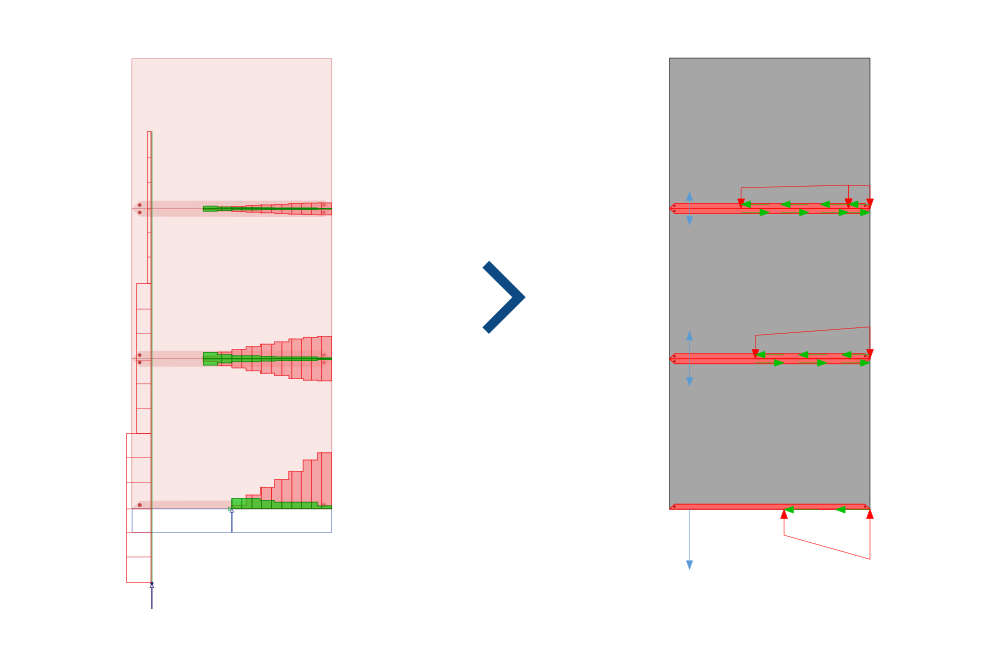
Elastic
Simplifies the result to a linearly varying compression zone.
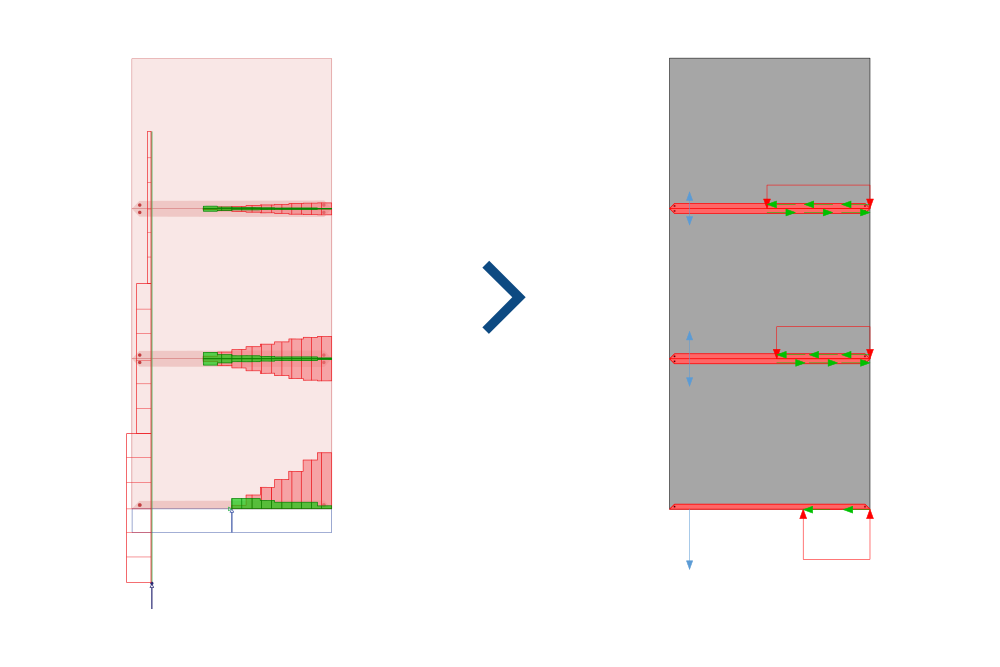
Plastic
Simplifies the result to a constant value compression zone.
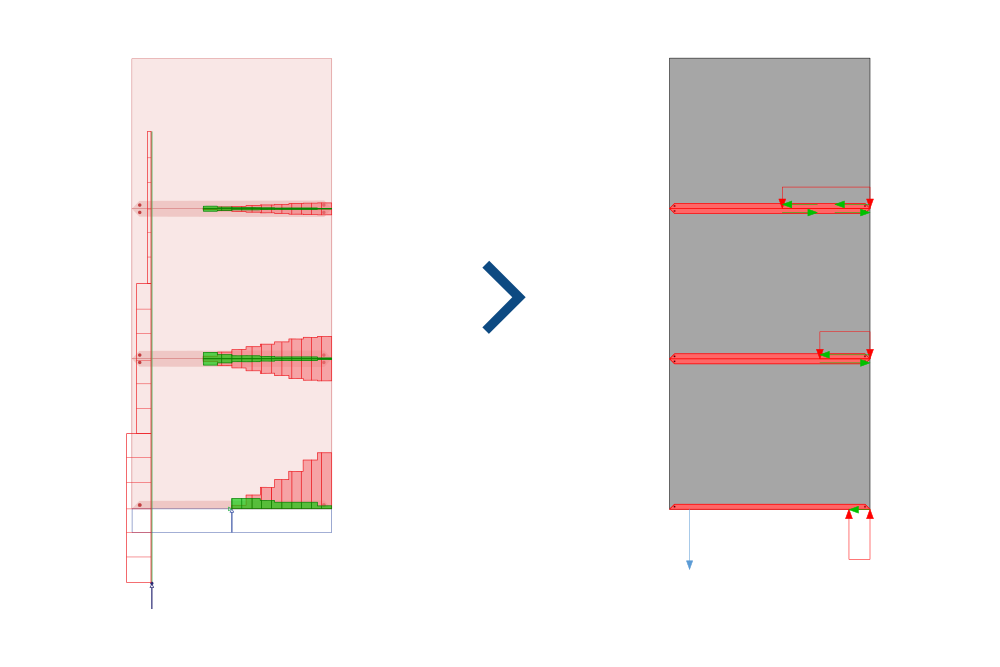
New plastic distribution
This option finds a new load distribution for the model – a lower-bound plastic approach that ensures equilibrium – based on the simple design capacity or plastic limit of edge connections and trusses. It's important to note that the load distribution changes in such a way that the original FEM-Design model can only be considered as information about geometry, capacities and loads to PREFAB.
There are two options to choose between:
Full
PREFAB looks at the full model when determining the solution with the lowest utilization.
Storey
PREFAB looks at one storey at a time, and finds the solution with the lowest utilization for that before continuing.
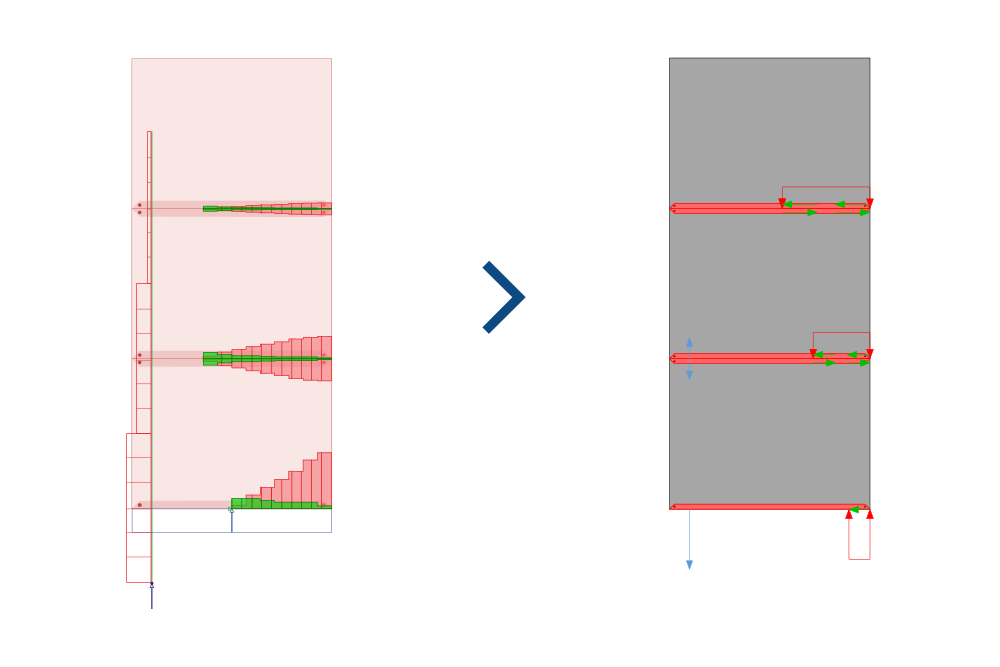
The Full option gives the best utilization, but the Storey option often gives the most intuitive solution.
PREFAB doesn't need the non-linear results from the FEM-Design analysis in order to do the new plastic redistribution, so it's highly advised to save your time by going to Setup by load combinations... and deselecting NLE and PL (they're on by default).
To read more about the new optimized plastic redistribution see the article:
modelling guide