Recommendations
Recommendations
These points aren't essential, but going through them helps you get the best results in PREFAB.
Supporting structures for covers
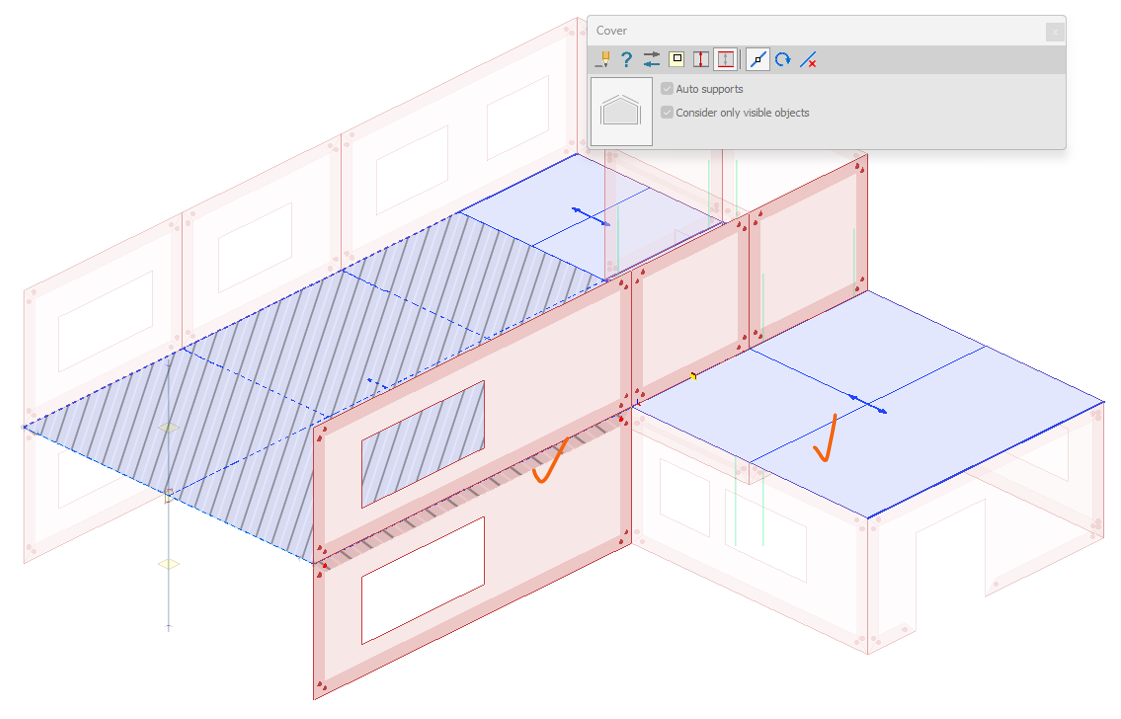
To ensure correct conversion of loads, make sure the covers have the correct supporting structures. As an example below: (1) wrong supporting structures on one side, (2) a missing supporting structure.
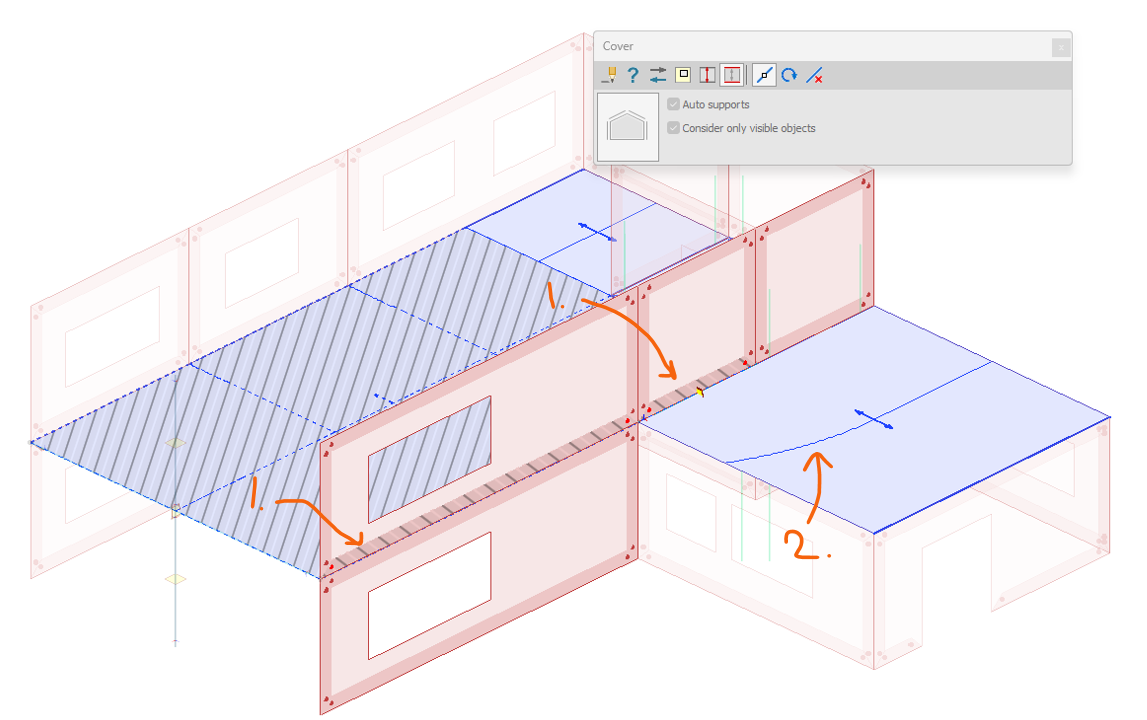
Use the manual supporting structures option in the Cover dialogue to modify or correct a cover's supporting structures. Pay attention to the highlighted objects and the load distribution line.
Anchorage behavior
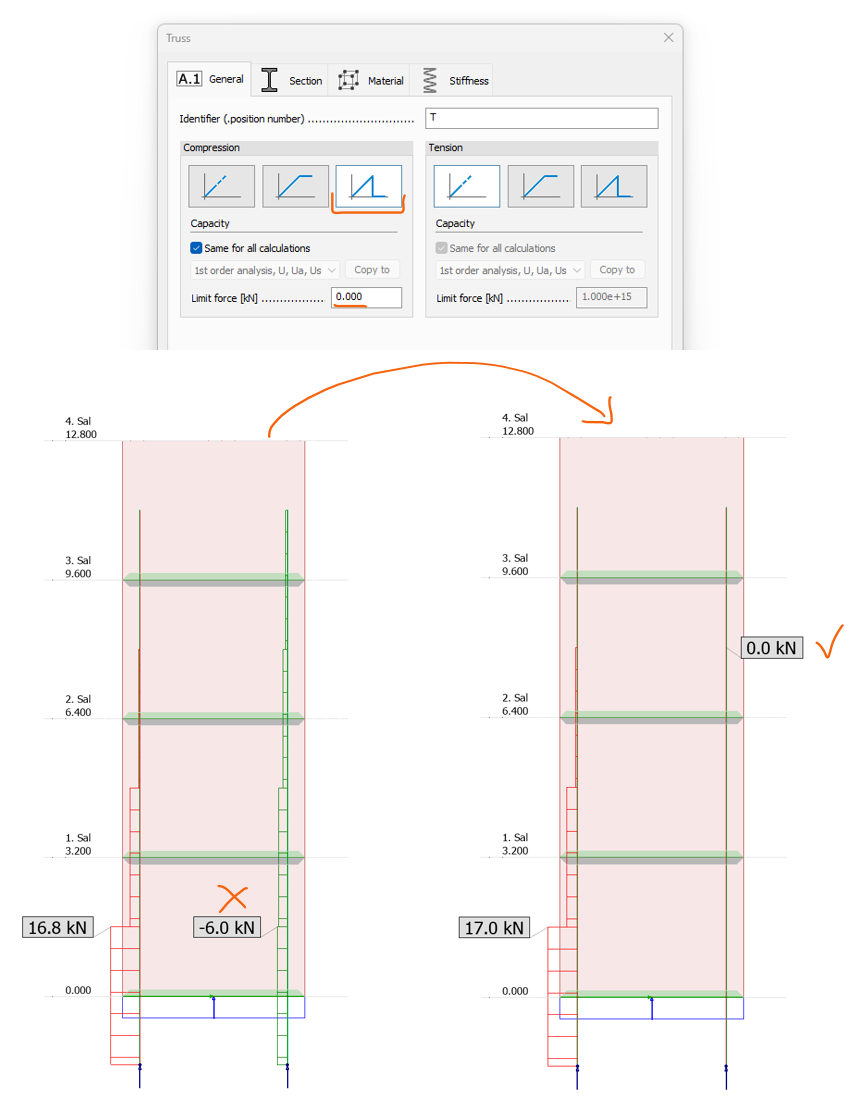
To ensure correct behavior of anchorage (trusses), make sure to consider the settings for Compression/Tension. For non-compression, a good solution is to set it to Brittle with the limit force as . Remember this is non-linear behavior, and it's only applied in load combination analysis, not load cases.
Edge-connections representing the desired behavior
For the elements, it's important for the correct structural behavior to consider, in each local axis, whether:
-
Tension/compression – it's able to handle tension/compression in that direction
-
Stiffness – the stiffness represents the joint type, so the connection forces give good results
On the element below, the local axes are drawn on the top edge: y' is always perpendicular to the edge, x' is always along the edge and z' is always perpendicular to the plane of the shell.
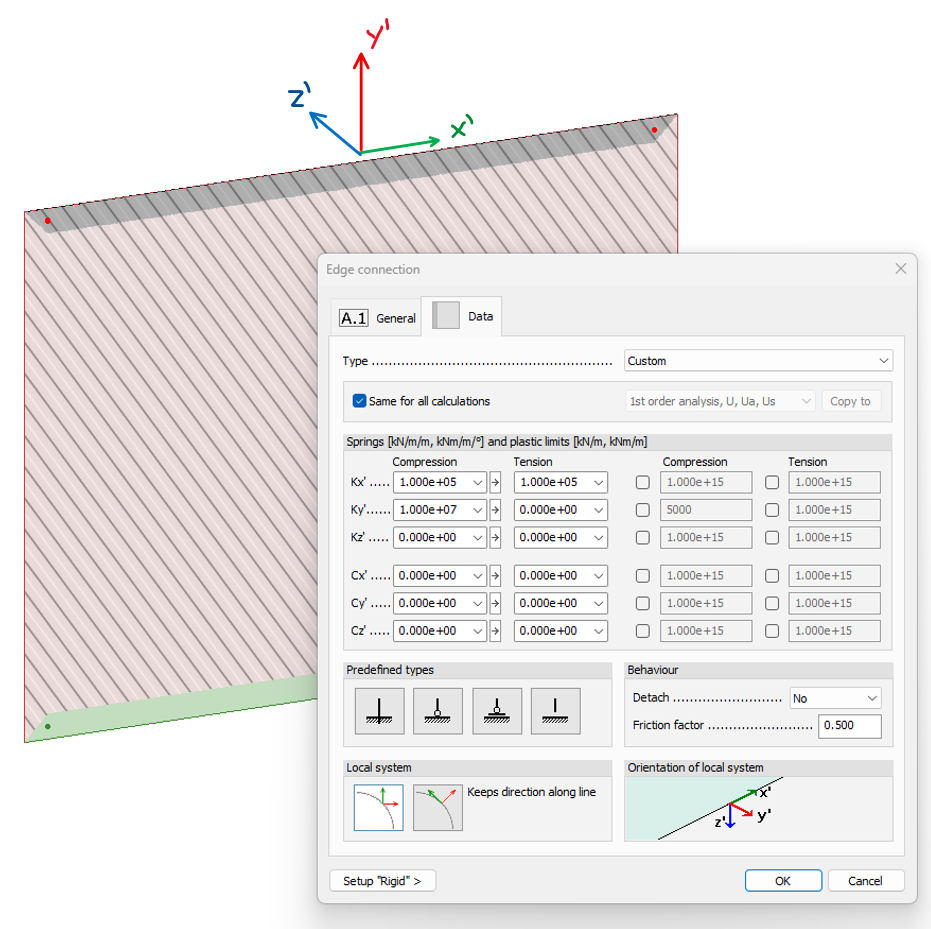
Turn on the local system in the display settings as a help. If for one of the directions the edge can't handle any forces at all when there's a displacement in a specific direction, use the Detach feature.
Special conversion method for covers
For covers, it's important to know that they function using a very basic rule: any load inside a load distribution zone goes to the zone's supporting structure. This means that in a case like below, where all the surface load is placed on the right side of the cover, all the load goes to the corresponding wall.
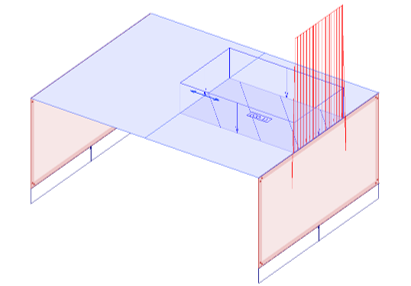
To avoid this, there's an option to use what's called the Special conversion method in the settings for covers.
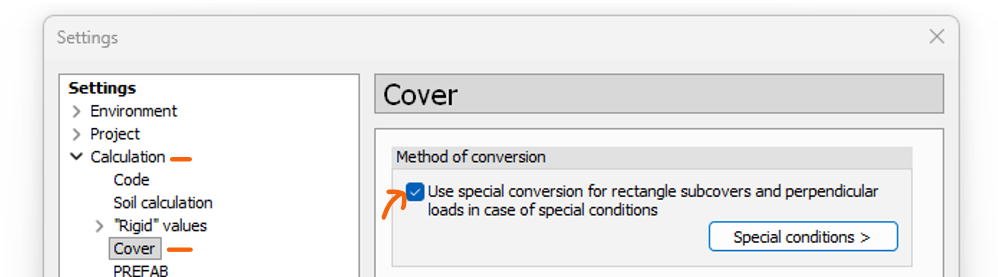
With this activated, for regular single span covers the distribution will be like a single span beam, but the resultant will be distributed along the full length of the supporting structure – hence it's recommended to split the cover in case the loading isn't full length. After the split, you'll get the result on the right.
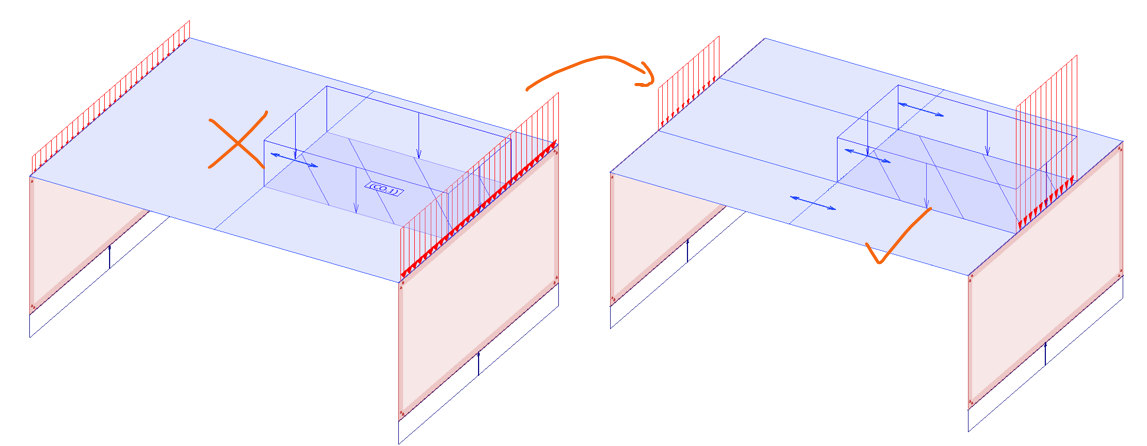
Special conversion will be activated on ALL covers in the model, so read the special conditions, and as always pay close attention to the "Converted loads" result from the analysis to verify the distribution.