PREFAB 25.0.1
PREFAB 25.0.1
Following the release of PREFAB 25.0.1, to support FEM-Design 25 models, a couple of improvements to PREFAB are included.
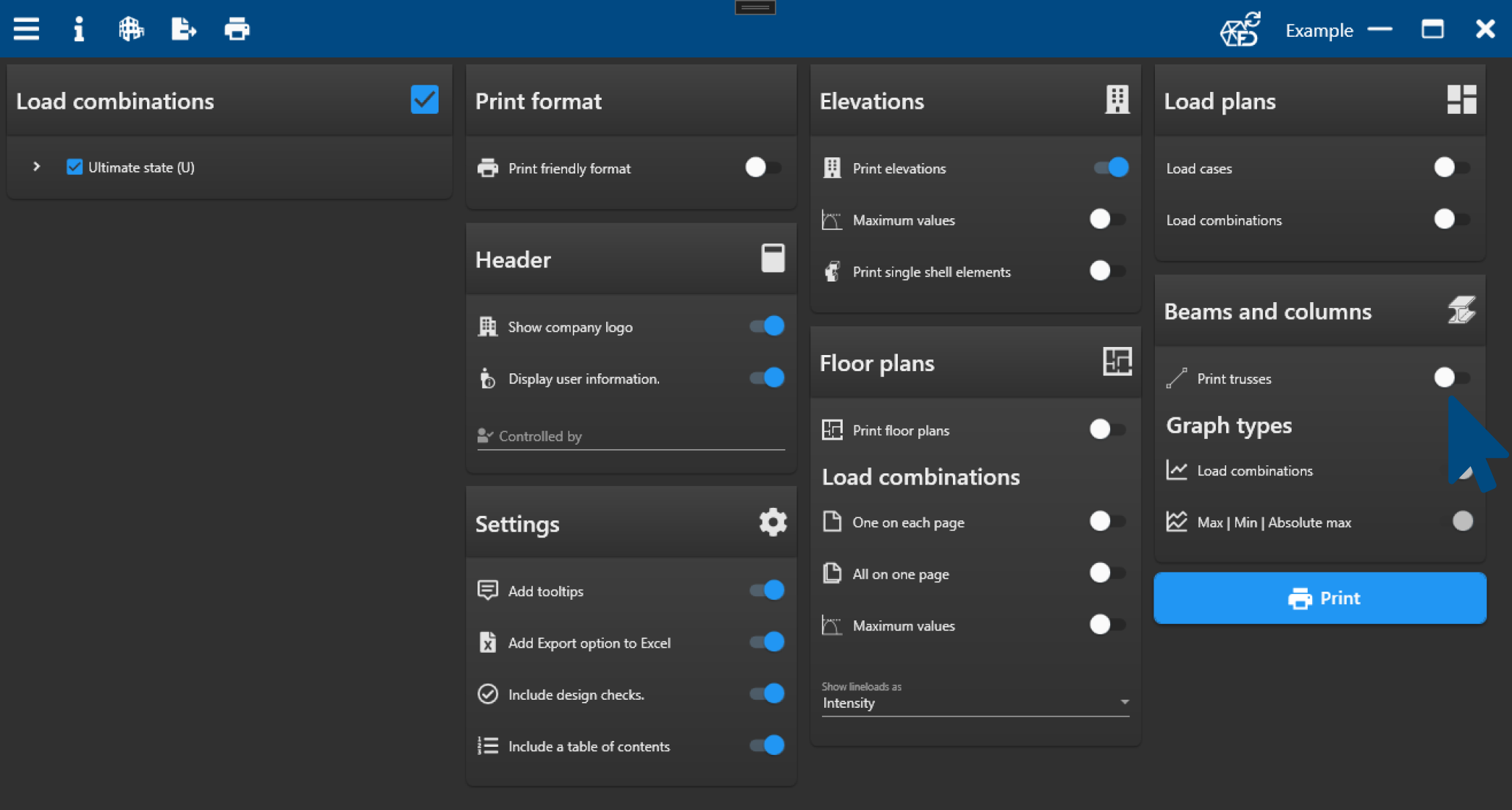
Truss option for PDF
Trusses can now be added to the PDF print, with information about properties and results. The Print trusses option is located in the Beams and columns section of the print page.
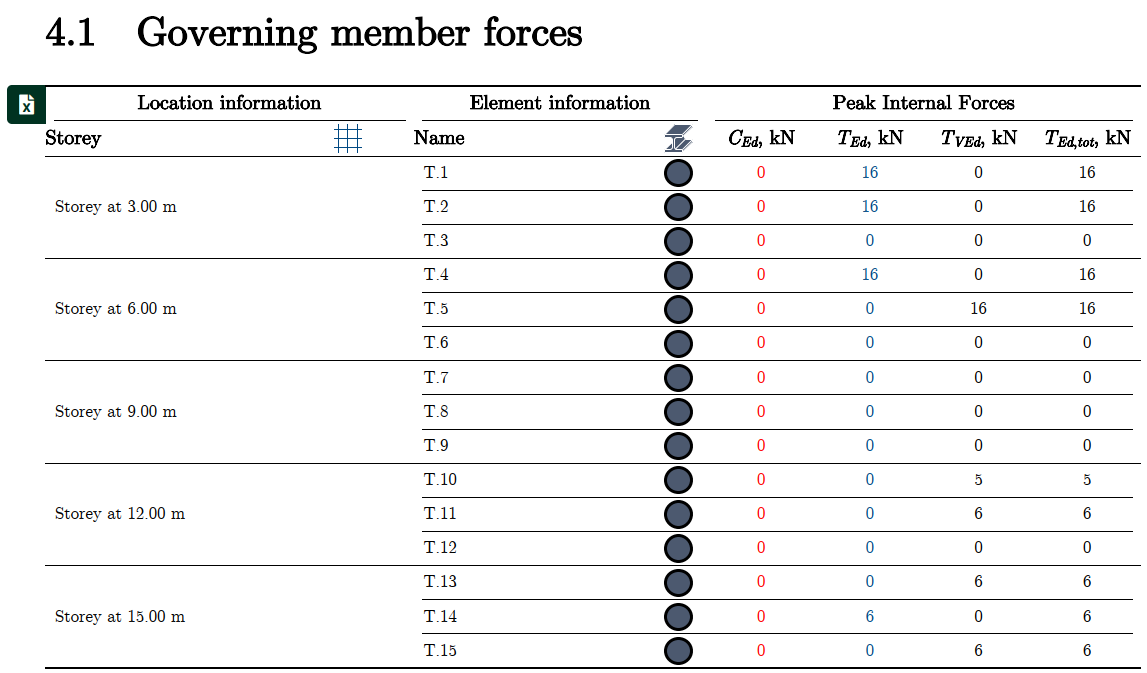
Governing forces
For each truss, the governing force is indicated. Tooltips inform about the load combination from which the value originates. For plastic redistributed solutions by PREFAB, tension from shear transfer is also included in the table.
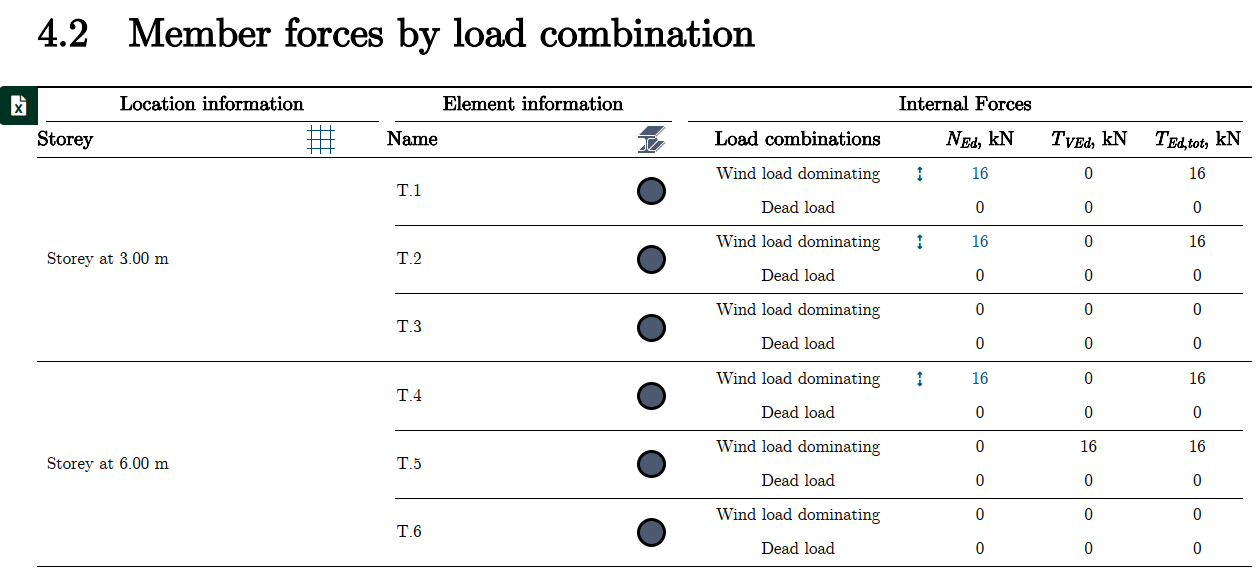
Forces by load combination
For each truss, the internal forces for each load combination are displayed in the table.
Edge connections in PDF
PREFAB can now generate a comprehensive summary of edge connections directly in the report. The summary provides a quick and clear overview of the key properties of the connection, including:
-
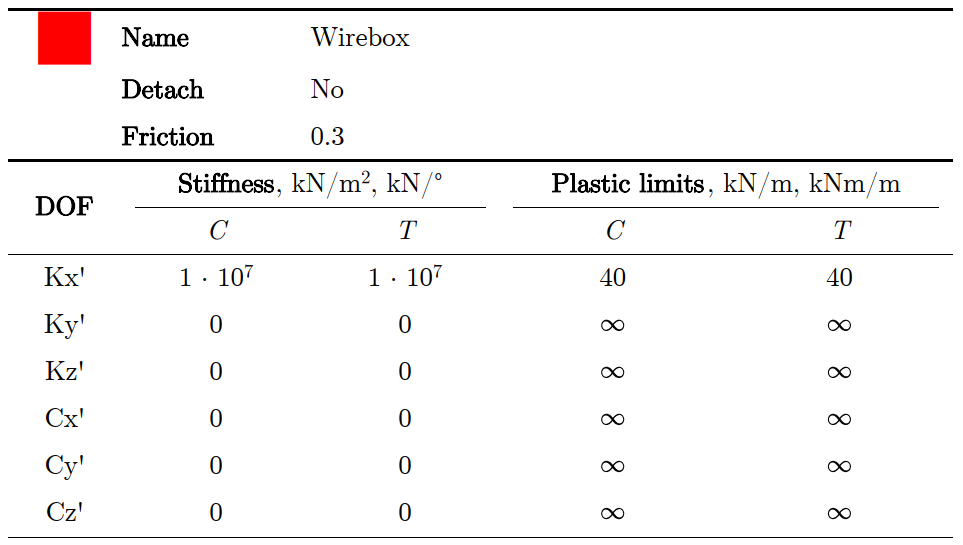
General parameters – such as name, friction and possible detach
-
Stiffness – for all degrees of freedom (DOF) in both compression and tension
-
Plastic limits – which indicate when the connection reaches its capacity in a given DOF, and can therefore begin to behave non-linearly or slide/rotate depending on the settings
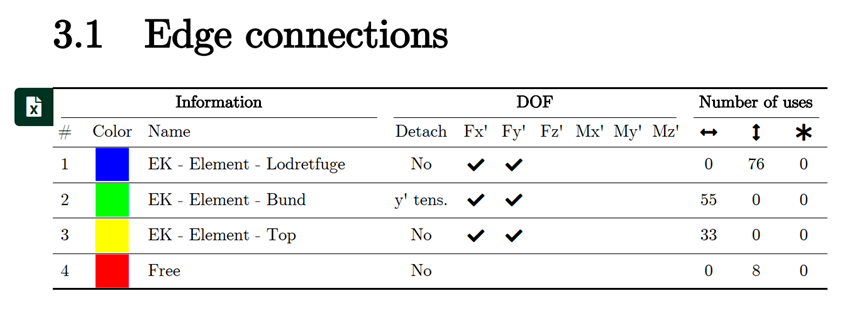
General properties information
The PDF print contains a table with the basic properties information for edge connections used in the model. The same table type is used on each elevation as a legend for the displayed edge connections.
Detailed properties table
A table with all the detailed properties settings used in the FEM-Design model.
Elevations
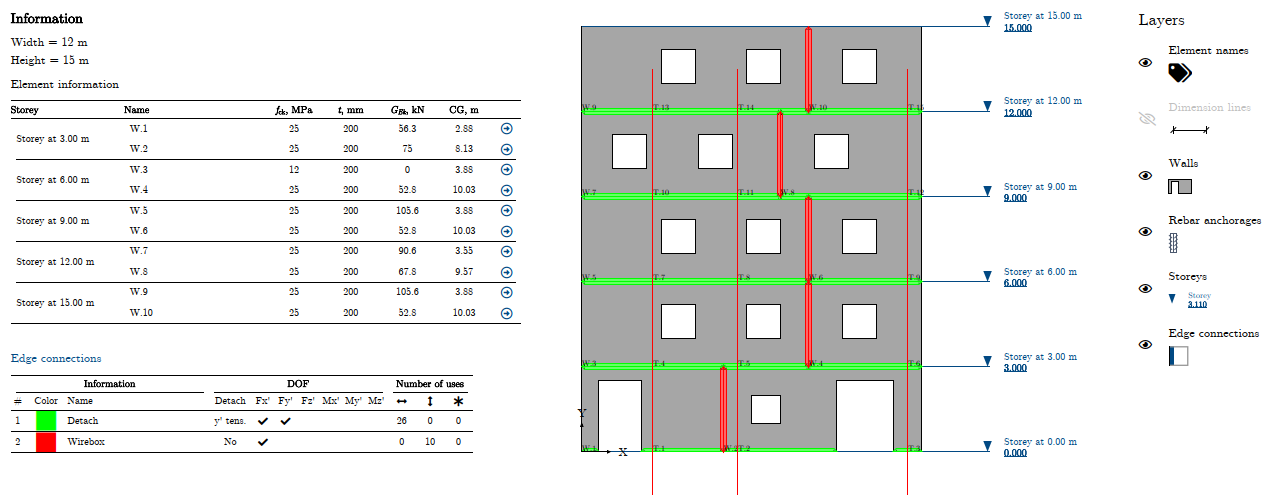
A new feature makes it possible to visualize edge connections directly in the layout. Each type of edge connection is automatically assigned a color, and the same colors are used both in the drawing and in the table. This provides an intuitive link between the model and the documentation.
-
Colored lines – edge connections are marked in the elevation with colored lines, allowing quick identification of where the different connection types are located in the model
-
Unique colors – each connection type is assigned a unique color (e.g. red, green, blue, etc.). The number of colors automatically scales with the number of different edge connections in the project
-
Summary table – an accompanying table summarizes the properties of each connection along with the color, name, DOF settings and the number of occurrences
-
Overview – color coding makes it easy to see which connections recur across multiple floors and where they change type
Improved connection with FEM-Design
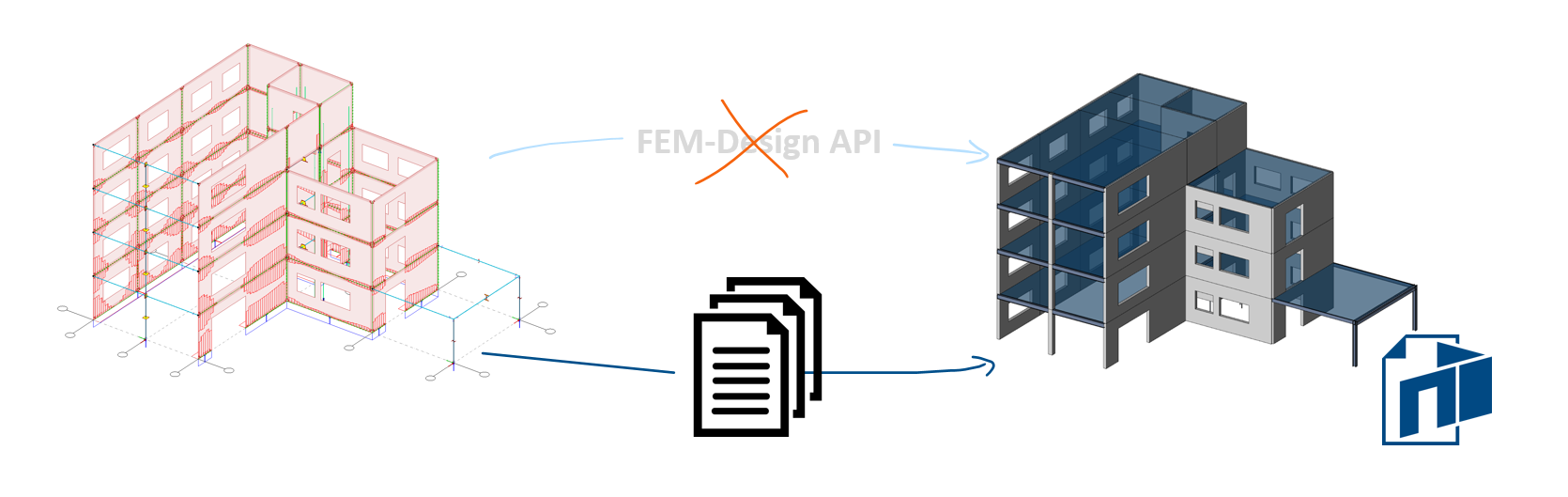
The connection between FEM-Design and PREFAB has been greatly improved. PREFAB no longer uses the FEM-Design API to allow for selection between multiple running models.
A set of native FEM-Design files are now generated specifically for PREFAB, which primarily results in a big speed improvement on model read, and an overall smoother experience.
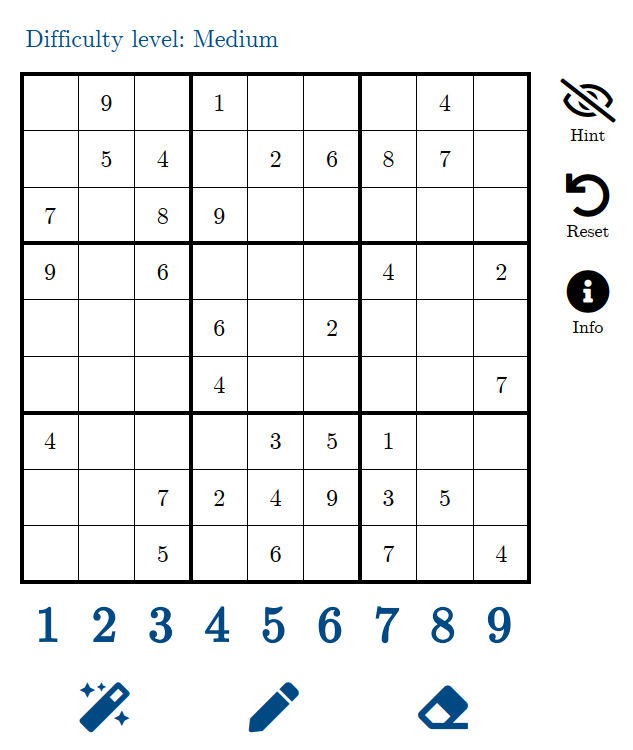
Sudoku – informal feature
A new, completely informal feature has now been added to the program: built-in Sudoku. Using the shortcut Ctrl + Shift + P, you can open a Sudoku window and choose between several difficulty levels – perfect for a short mental break in the middle of modeling.
The Sudoku can be exported as an interactive PDF, allowing you to solve it directly within the PDF file, either on your computer or on the go. There are also small helper functions like Hint, Reset and Info, so you can decide how much of a challenge you want.
The function is not intended as part of the professional workflow, but rather as a small fun detail in the daily life of structural engineers who occasionally need a fresh breath between calculations.