Recovery files
Use the Recovery files... tool to recover files that were saved by the timesave feature.
With timesave enabled, an extra file with a special extension is generated and updated at the time interval selected in the settings. It is saved into a hidden folder. These files can be recovered by using the Recovery files... tool.
To recover a file, open the menu item. A new dialogue window opens.
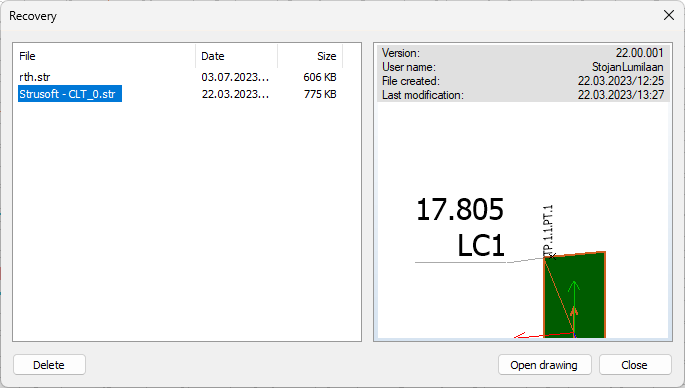
This window shows a list of possible files to recover. Select the suitable file and click the Open drawing button at the bottom. You can also click the Delete button to remove a project from the list if it is no longer needed.
On the right-hand side, you can see information about the selected project file.