Draw
Draw menu contains tools for adding non-structural drawing and modelling elements.
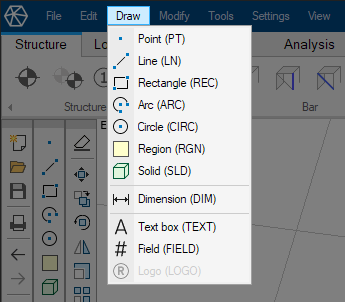
- ↘ Point – add a point
- ↘ Line – draw a line
- ↘ Rectangle – draw a rectangle
- ↘ Arc – draw an arc
- ↘ Circle – draw a circle
- ↘ Region – draw a closed region
- ↘ Solid – draw a solid object
- ↘ Dimension – add a dimension line on the model space
- ↘ Text box – add text to the model space
- ↘ Field – add one of the built-in variables as text on the model space
- ↘ Logo – add a logo as image onto the Documentation module
info
There is a toolbar with the same items as the Draw menu.