Export to FEM-Design
Export to FEM-Design
This creates a StruXML file that opens directly in FEM-Design with all load cases and combinations preserved. Every external load and reaction is combined in the original combination, and all interaction loads contain information about the element they originate from.
There are four main export scopes: walls, plates, custom and reactions, each with the option to retain their original model coordinates. For every scope, each load combination picked for export is automatically created in FEM-Design.
If the filepath chosen for the exported file is in a folder that requires administrator rights, FEM-Design will open blank. Then the file has to be manually opened in FEM-Design.
Export scopes
Walls
Suited to wall design. Each element is statically independent by default, and loads on the walls align with the data treatment method, and therefore the PDF document. For the element and elevation exports, point supports with a soft stiffness are added to counter minuscule equilibrium errors.
Wall elements results along edges
Every wall is modeled independently of the others, with loads automatically applied according to the PREFAB calculations.
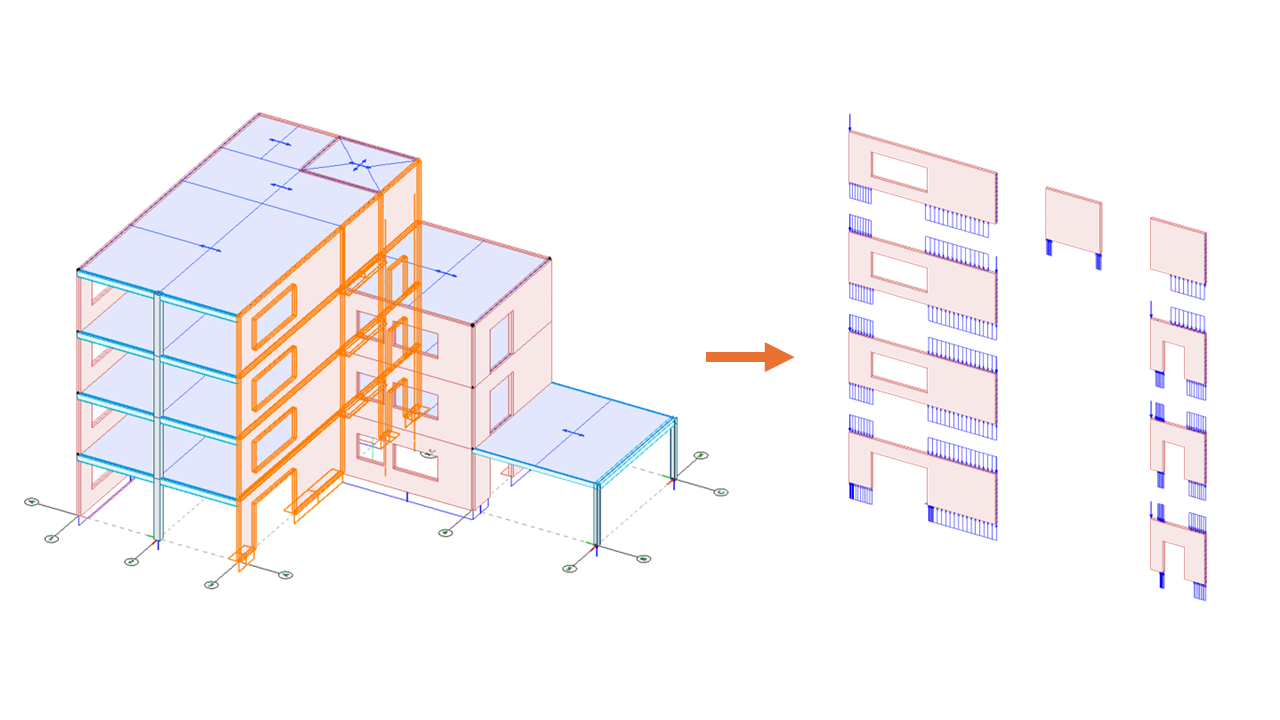
Wall elevations results along external edges
Every elevation is modeled independently of the other elevations, but retains all internal connections, though with the connection forces removed. Loads are automatically applied according to the PREFAB calculations.
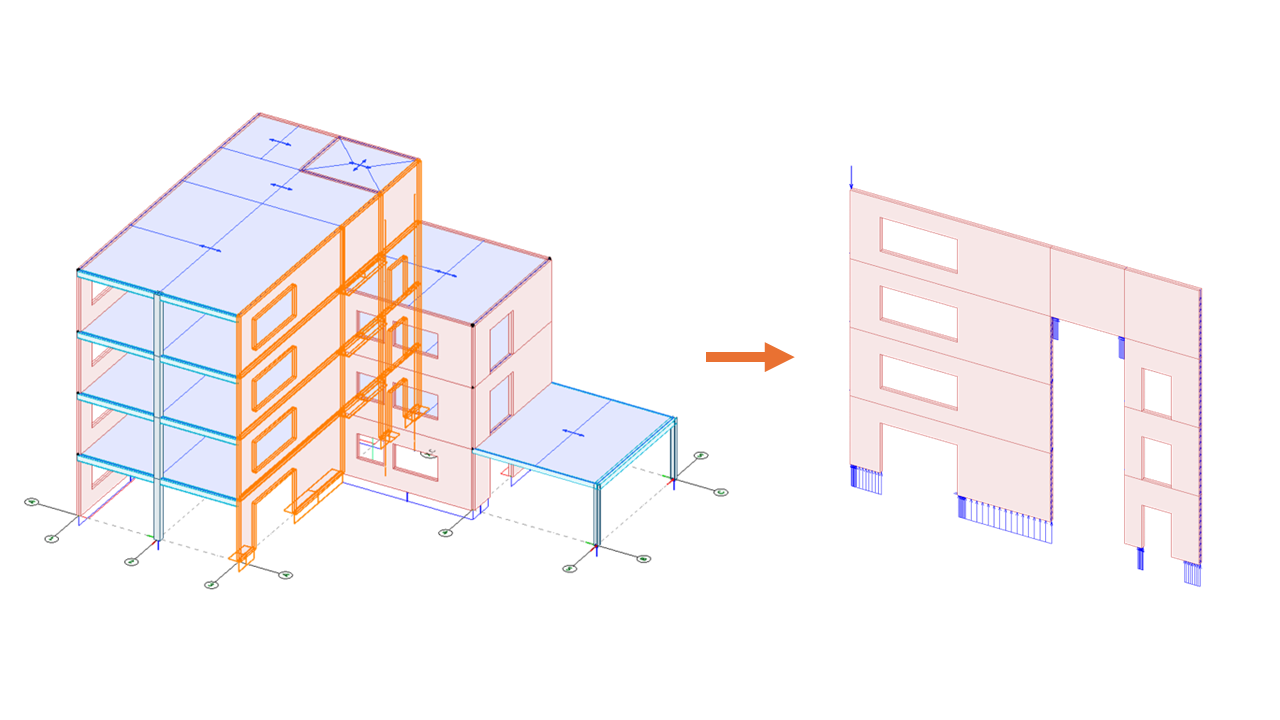
Wall selection results along external edges
The selected walls are taken from the model, with all internal forces removed, but forces from the connection to other elements are kept.
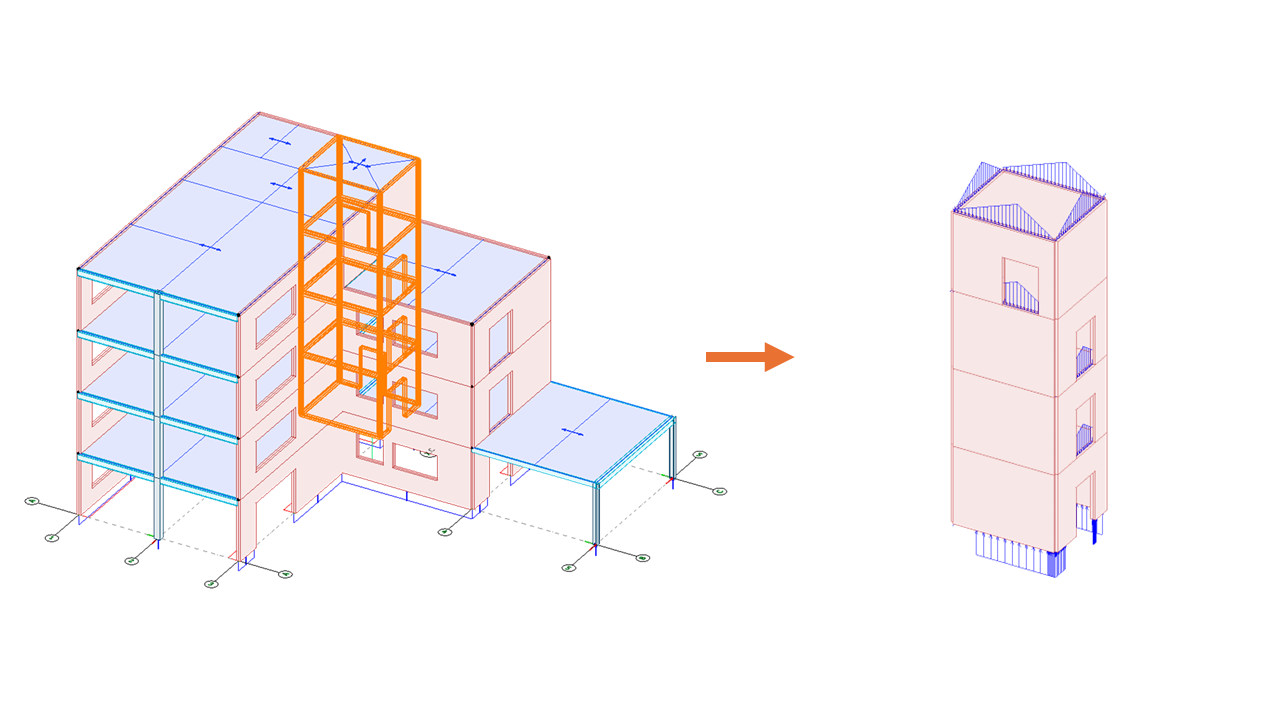
The selection option is only available through the 3D viewer inside PREFAB.
Plates
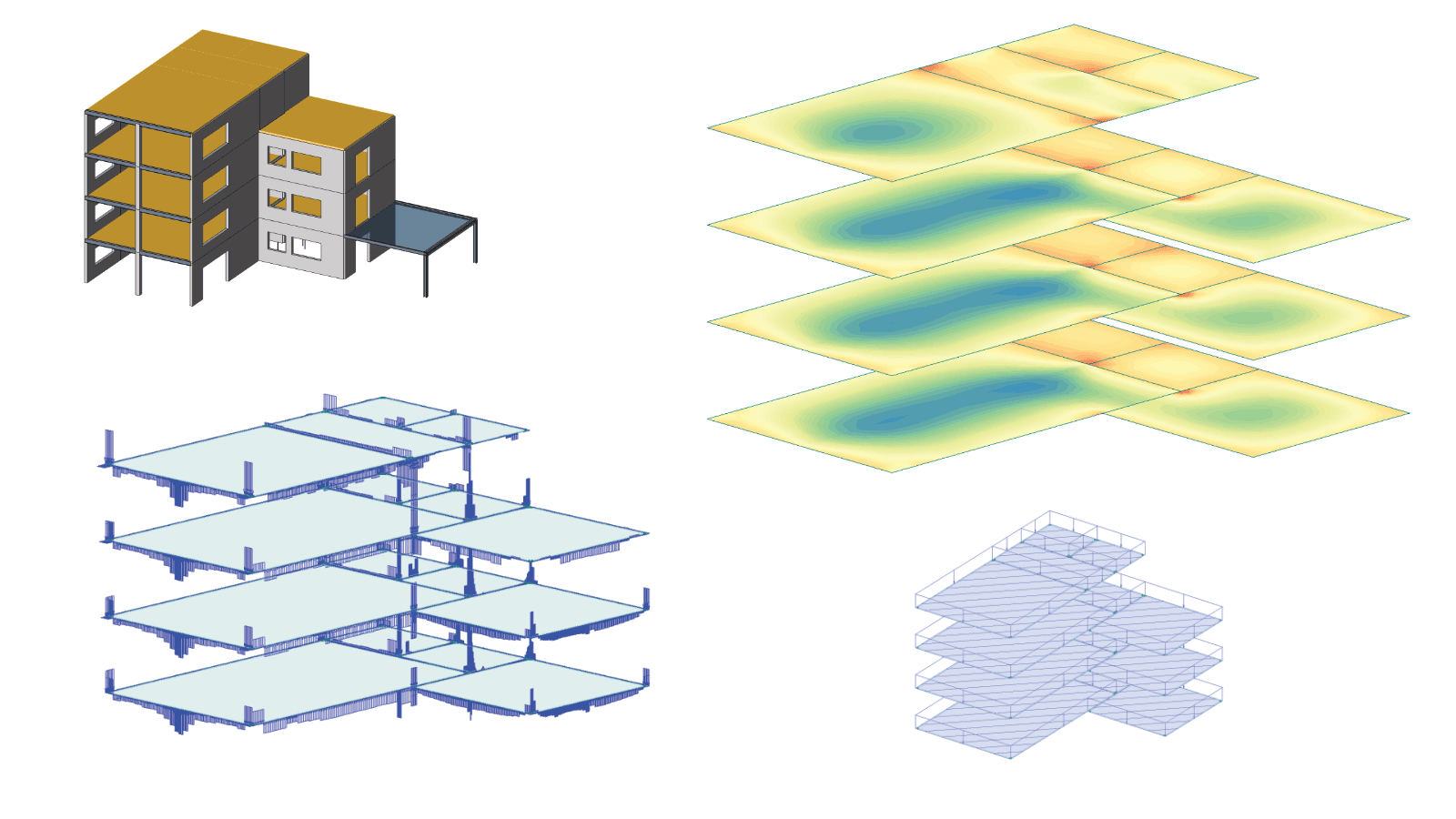
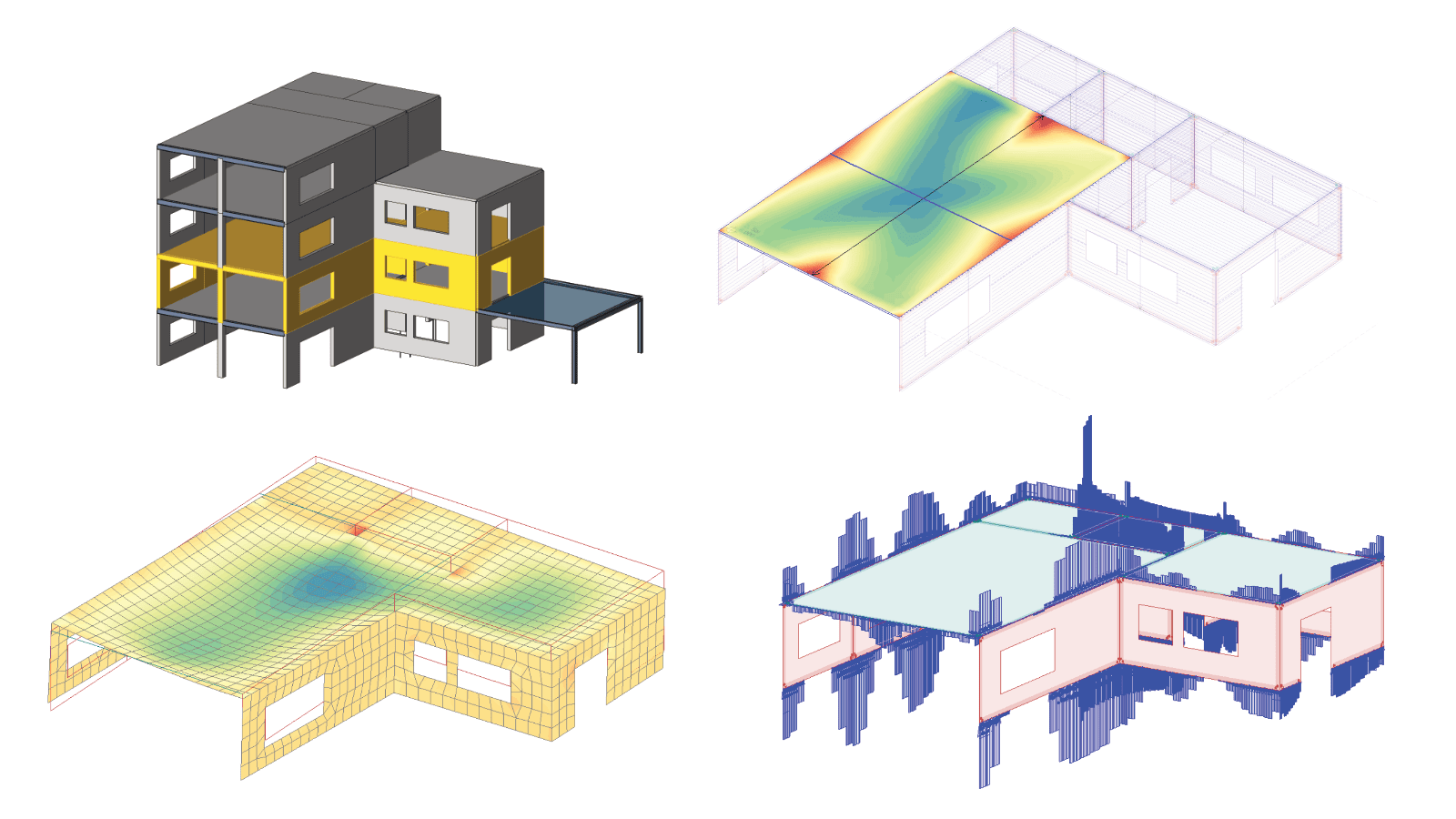
Suited to plate design. Plates are exported with all loads from above (and below if applicable) as a statically independent element ready for detailed design in FEM-Design.
Custom
A custom selection lets you pick any combination of elements from the model. All selected elements retain their interaction forces.
Reactions
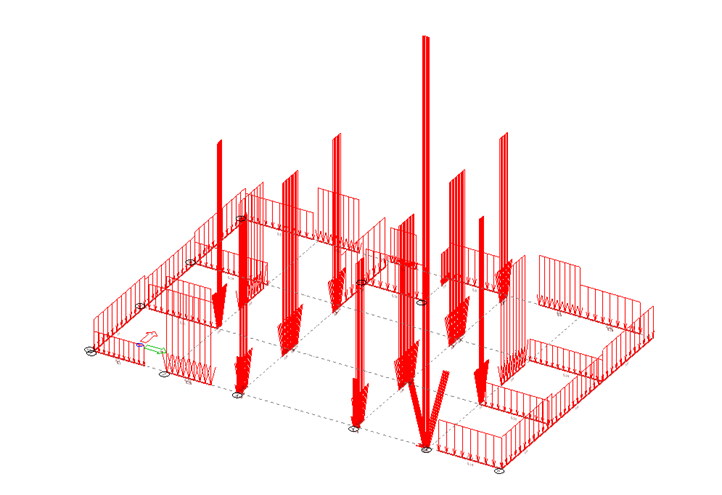
Reactions, matching the calculation made in PREFAB, will be generated as loads in a FEM-Design model. Line loads for walls, and point loads for columns and anchors. It will keep the coordinates from the originally imported FEM-Design model.
Export settings
Add cover thickness to cut wall geometry
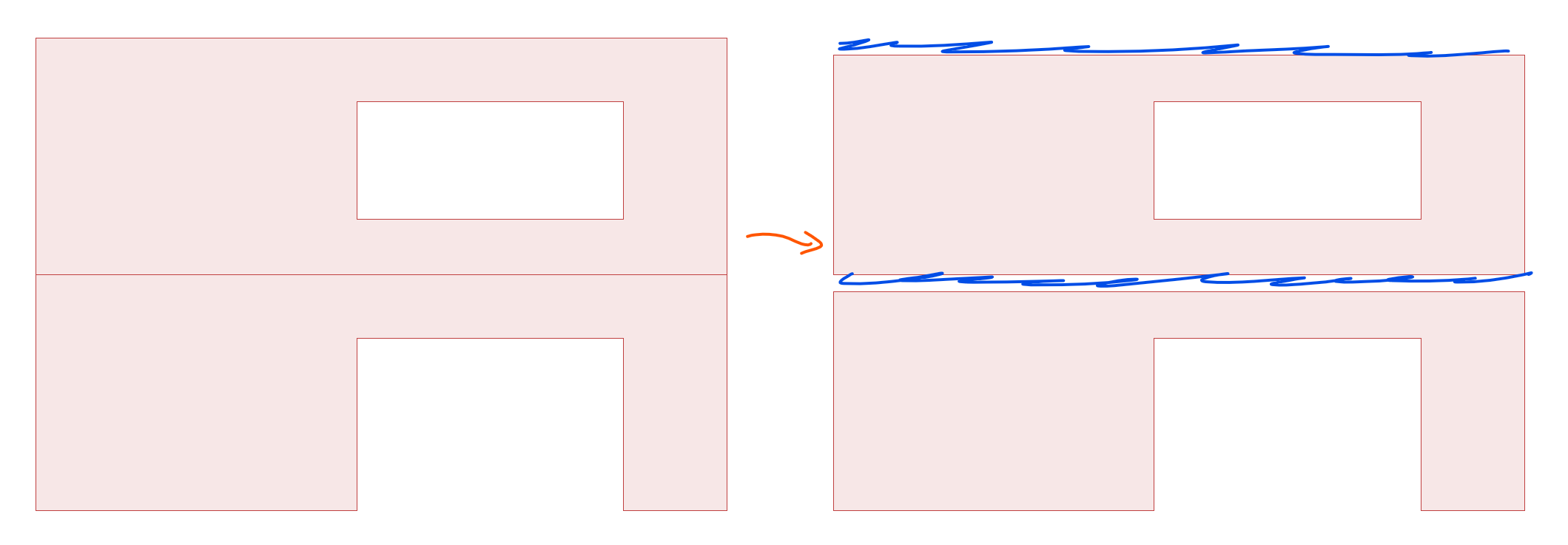
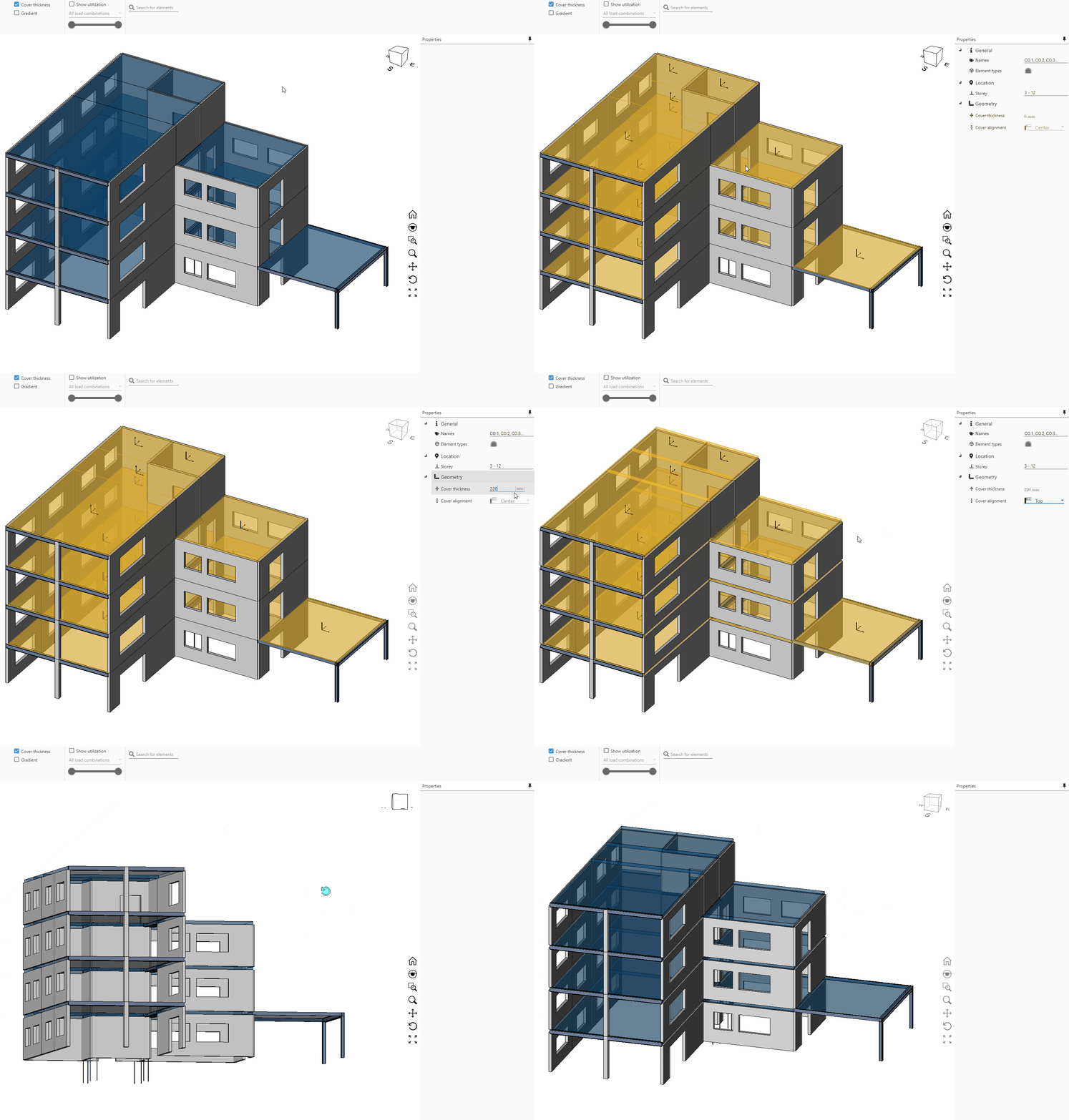
In the Display Model tab, a cover thickness can be added to covers. It allows for the thickness + cover alignment. This will automatically create cutouts in the elements. Each cover can be set up individually.
The cutouts are only represented when the elements are exported back to FEM-Design (.struxml).
This short video shows you how to set the cover thickness and alignment. The Cover thickness button only controls if it's visualised in the 3D view or not. When the thickness is set, it will affect the export to .struxml whether visualised or not.
Add support conditions
Three independent toggles on the export tab – Add point supports, Add line supports and Add surface supports – add that support type to the exported StruXML file, in addition to any edge connections already being exported. They're available for the Walls, Plates and Custom scopes, but not for Reactions, which already converts supports into equivalent loads.
Line supports are grouped into reusable named support definitions with their stiffness values, and their geometry is excluded from being treated as an unsupported free edge.
Use a simplified material model
The Use simplified material model toggle overrides only the creep coefficient (fixed to 3) and Poisson's ratio (fixed to 0) on exported concrete materials – strength, stiffness and every other property are exported unchanged. The exported material is given a "Simplified" suffix so it's distinguishable from the original once opened in FEM-Design. Like the support toggles, it's available for the Walls, Plates and Custom scopes, but not for Reactions.